I just wanted to share another issue that I’ve encountered while prepping my Windows computer for next week’s training.
For context: I’m on Windows 11, I don’t have OneDrive, and I use VSCode.
When launching the jupyter notebook 0-Installation_check.ipynbc , the last cell is supposed to open the MNE GUI.
My issue : Every single run, whether I launched it from VSCode, or from JupyterLab, resulted in the MNE GUI freezing and showing “is not responding”.
Thanks to @mehmetakif , who’s helped me a lot, we saw that there might be an issue between Jupyter (ipykernel), the MNE software and Windows. Here are 3 workarounds we found:
Launching the notebook’s last cell from a python interpreter
putting the code from the last cell in a regular .py file and adding input('Press ENTER to exit') at the end (to prevent python from closing the MNE GUI), then running the .py file.
Also another solution, which I’ve finally opted for, was installing “Windows Subsystem for Linux (WSL)”, linking it to my pre-existing VSCode, and running the jupyter notebook from the WSL environment using VSCode. This works really well.
That’s it, I just wanted to share this in case anyone else has this recurring freezing issue on Windows.
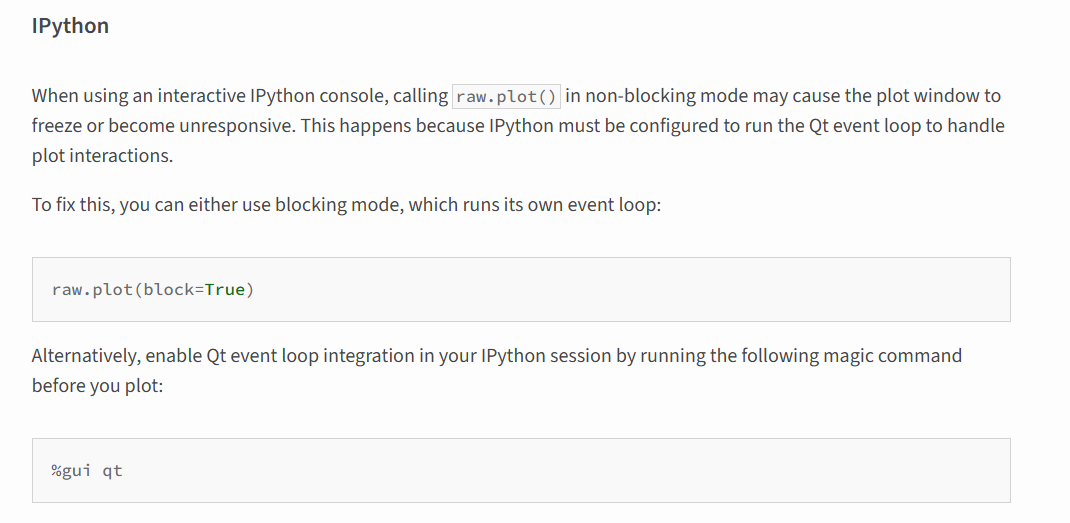
Hi everyone, I faced similar problems - adding the parameter block=True also worked with both the GUI and the plots
Using the magic command %gui qt did not do the trick for me
Wayland server graphic (now basically mandatory in gnome-49)
fresh conda environment with the latest mne-python and dependencies
JupyterLab in the browser
VSCodium
I experienced the same freeze of Christelle, which happened to me before already.
The block=Truewas also my workaround in the past, because it stop the qt loop for each plot.
I 99.9% use python scripts and I never found a proper solution to this problem.
@wmvanvliet I run the full pipeline from notebook 0 to notebook 7 and I didn’t spot any other bugs or problems on a very recent Linux platform
I just wanted to say that we appreciate you all checking & collecting workarounds here, that will definitely be beneficial for others later! block=True helps in many cases, but sadly not always…
I’m on Windows11 and for me it works in a plain jupyter notebook if I execute %matplotlib qt before (either in the same cell or some other). It is indeed a QT even-loop thing. In order to not have the window “freeze”, a QT event loop needs to be running.
Perhaps this is something we could all look at together on Monday. I’ve notices issues with this with many users, especially when they are running IDE’s such as PyCharm or VScode. For this reason, I always encourage new programmers who aren’t married to a particular IDE yet to use Spyder, which has always given me the highest rate of success.
LibMambaUnsatisfiableError: Encountered problems while solving:
nothing provides package_has_been_revoked needed by spyder-5.5.1-py310haa95532_1
Could not solve for environment specs
The following packages are incompatible
├─ graphviz =13.1.2 * is installable with the potential options
│ ├─ graphviz 13.1.2 would require
│ │ └─ pango >=1.56.4,<2.0a0 * with the potential options
│ │ ├─ pango 1.56.4 would require
│ │ │ └─ harfbuzz >=11.0.1 * with the potential options
│ │ │ ├─ harfbuzz 11.4.5 would require
│ │ │ │ └─ icu >=75.1,<76.0a0 *, which can be installed;
│ │ │ └─ harfbuzz [11.0.1|11.1.0|…|12.1.0] conflicts with any installable versions previously reported;
│ │ └─ pango 1.56.4 conflicts with any installable versions previously reported;
│ └─ graphviz 13.1.2 conflicts with any installable versions previously reported;
├─ pin on python =3.13 * is installable and it requires
│ └─ python =3.13 , which can be installed;
├─ spyder = * is installable with the potential options
│ ├─ spyder [3.2.3|3.2.4|…|4.0.1] would require
│ │ └─ python >=2.7,<2.8.0a0 *, which conflicts with any installable versions previously reported;
│ ├─ spyder [3.2.3|3.2.4|…|3.3.1] would require
│ │ └─ python >=3.5,<3.6.0a0 *, which conflicts with any installable versions previously reported;
│ ├─ spyder [3.2.3|3.2.4|…|5.0.5] would require
│ │ └─ python >=3.6,<3.7.0a0 *, which conflicts with any installable versions previously reported;
│ ├─ spyder [3.3.0|3.3.1|…|5.3.3] would require
│ │ └─ python >=3.7,<3.8.0a0 *, which conflicts with any installable versions previously reported;
│ ├─ spyder [4.0.1|4.1.0|…|6.0.1] would require
│ │ └─ python >=3.8,<3.9.0a0 *, which conflicts with any installable versions previously reported;
│ ├─ spyder [4.2.0|4.2.1|…|6.1.0] would require
│ │ └─ python >=3.9,<3.10.0a0 *, which conflicts with any installable versions previously reported;
│ ├─ spyder [5.1.5|5.2.2|…|6.1.0] would require
│ │ └─ python >=3.10,<3.11.0a0 *, which conflicts with any installable versions previously reported;
│ ├─ spyder [5.4.1|5.4.2|…|6.1.0] would require
│ │ └─ python >=3.11,<3.12.0a0 , which conflicts with any installable versions previously reported;
│ ├─ spyder 5.5.1 would require
│ │ └─ package_has_been_revoked = *, which does not exist (perhaps a missing channel);
│ ├─ spyder [5.5.1|6.0.1|…|6.1.0] would require
│ │ └─ python >=3.12,<3.13.0a0 *, which conflicts with any installable versions previously reported;
│ ├─ spyder [6.0.5|6.0.7] would require
│ │ └─ pyqtwebengine >=5.15,<5.16 * with the potential options
│ │ ├─ pyqtwebengine [5.15.10|5.15.7] would require
│ │ │ └─ python >=3.10,<3.11.0a0 *, which conflicts with any installable versions previously reported;
│ │ ├─ pyqtwebengine [5.15.10|5.15.7] would require
│ │ │ └─ python >=3.11,<3.12.0a0 *, which conflicts with any installable versions previously reported;
│ │ ├─ pyqtwebengine 5.15.10 would require
│ │ │ └─ python >=3.12,<3.13.0a0 *, which conflicts with any installable versions previously reported;
│ │ ├─ pyqtwebengine 5.15.10 would require
│ │ │ └─ qt-main =5.15 * with the potential options
│ │ │ ├─ qt-main 5.15.2 would require
│ │ │ │ └─ icu >=73.1,<74.0a0 *, which conflicts with any installable versions previously reported;
│ │ │ ├─ qt-main 5.15.2 would require
│ │ │ │ └─ openssl >=1.1.1u,<1.1.2a *, which can be installed;
│ │ │ ├─ qt-main 5.15.2 would require
│ │ │ │ └─ icu >=58.2,<59.0a0 *, which conflicts with any installable versions previously reported;
│ │ │ ├─ qt-main 5.15.2 would require
│ │ │ │ └─ openssl >=1.1.1v,<1.1.2a *, which can be installed;
│ │ │ ├─ qt-main 5.15.2 would require
│ │ │ │ └─ openssl >=1.1.1t,<1.1.2a *, which can be installed;
│ │ │ └─ qt-main [5.15.15|5.15.2|…|5.15.8] conflicts with any installable versions previously reported;
│ │ ├─ pyqtwebengine [5.15.10|5.15.7] would require
│ │ │ └─ python >=3.8,<3.9.0a0 *, which conflicts with any installable versions previously reported;
│ │ ├─ pyqtwebengine [5.15.10|5.15.7] would require
│ │ │ └─ python >=3.9,<3.10.0a0 *, which conflicts with any installable versions previously reported;
│ │ ├─ pyqtwebengine 5.15.7 would require
│ │ │ └─ python >=3.7,<3.8.0a0 *, which conflicts with any installable versions previously reported;
│ │ └─ pyqtwebengine [5.15.10|5.15.11|5.15.4|5.15.7|5.15.9] conflicts with any installable versions previously rep;
│ ├─ spyder 6.1.0 would require
│ │ └─ pyqt >=6.5,<7 * but there are no viable options
│ │ ├─ pyqt [6.7.1|6.9.1] would require
│ │ │ └─ python >=3.10,<3.11.0a0 *, which conflicts with any installable versions previously reported;
│ │ ├─ pyqt [6.7.1|6.9.1] would require
│ │ │ └─ python >=3.11,<3.12.0a0 *, which conflicts with any installable versions previously reported;
│ │ ├─ pyqt [6.7.1|6.9.1] would require
│ │ │ └─ python >=3.12,<3.13.0a0 *, which conflicts with any installable versions previously reported;
│ │ ├─ pyqt 6.7.1 would require
│ │ │ └─ qtbase [>=6.7.2,<6.8.0a0 *|>=6.7.3,<6.8.0a0 *], which requires
│ │ │ └─ icu >=73.1,<74.0a0 *, which conflicts with any installable versions previously reported;
│ │ ├─ pyqt [6.7.1|6.9.1] would require
│ │ │ └─ python >=3.9,<3.10.0a0 *, which conflicts with any installable versions previously reported;
│ │ └─ pyqt 6.9.1 would require
│ │ └─ qtbase >=6.9.1,<6.10.0a0 *, which requires
│ │ └─ harfbuzz >=10.2.0,<11.0a0 *, which conflicts with any installable versions previously reported;
│ ├─ spyder [2.3.9|3.1.2|…|6.1.0] conflicts with any installable versions previously reported;
│ ├─ spyder [3.1.2|3.1.3] would require
│ │ └─ rope ==0.9.4 , which does not exist (perhaps a missing channel);
│ ├─ spyder [6.0.1|6.0.2|6.0.3|6.0.4] would require
│ │ └─ __osx =, which is missing on the system;
│ ├─ spyder [6.0.1|6.0.2|…|6.1.0] would require
│ │ └─ __linux = *, which is missing on the system;
│ └─ spyder 6.0.5 would require
│ └─ fcitx-qt5 >=1.2.7 *, which does not exist (perhaps a missing channel);
└─ vtk-base =9.4.2 * is not installable because there are no viable options
├─ vtk-base 9.4.2 would require
│ └─ ffmpeg >=7.1.1,<8.0a0 * but there are no viable options
│ ├─ ffmpeg 7.1.1 would require
│ │ └─ openssl >=3.5.2,<4.0a0 *, which conflicts with any installable versions previously reported;
│ └─ ffmpeg 7.1.1 conflicts with any installable versions previously reported;
└─ vtk-base 9.4.2 conflicts with any installable versions previously reported.
Pins seem to be involved in the conflict. Currently pinned specs:
Sorry, I am bit late for this response but I just wanted to share the workaround that succeeded in my case.
I am on Windows 11. MNE with Spyder has always worked for me, but I had also GUI freezes when launching from a jupyter notebook. I downloaded the conda package spyder-notebook and it has solved my issues: GUI do not freeze immediately like before.
Hello everyone, I’m a bit late to the party but just wanted to share the workaround that solved the same issue for me in Jupyterlab/Notebook on Ubuntu 25.10: I had to set the 3D backend in MNE to “notebook”, via the command mne.viz.set_3d_backend(“notebook”.